
-

Try advanced features for free
Get Smarter responses, upload files, create images, and more by logging in.
Log In Sign up & Earn $5

Which are the Best AI Email Writing Tools to Use in 2026?

Key Takeaways
- The best AI email writing tools take the sting out of drafts, replies, and subject lines, and your voice stays intact.
- If you live in Gmail or Outlook, pick something that works right inside your inbox. No more copy-pasting between tabs.
- Plenty of tools have a free plan, but the monthly caps on prompts and features tend to show up fast.
- Read every AI draft before you hit send, especially on anything important. Check the facts and the tone.
We've all been there: a blank email window, a blinking cursor, and ten minutes gone before you've typed a word. The best AI email writing tools can turn a few messy notes into a clean message in seconds. In this guide, I compare ten of the best AI tools for email writing, covering sales, support, newsletters, and the everyday replies that eat your afternoon.
What are the Best AI Email Writing Tools?
They're apps that use language models to draft, edit, and tighten emails from a short prompt or a rough set of notes. Good AI email writing software also catches grammar slips, shifts your tone up or down, and suggests subject lines. And a solid AI email writing assistant should fit the way you already work, rather than dragging you into yet another app you have to keep open.
Why Use an AI Email Writing Assistant?
Mostly because it kills writer's block and makes routine replies painless.
- Speed: Follow-ups, reminders, and cold outreach take seconds, not a staring contest with an empty screen.
- Consistency: If several people send emails for your company, a tool can keep support, sales, and marketing sounding like the same brand.
Best AI Email Writing Tools at a Glance
Here's the quick version. Skim it, pick two or three that fit, then read the detailed reviews below.
| Tool | Best For | Free Option |
| Perplex | Free chat-based drafting | Yes |
| ChatGPT | Flexible prompting | Yes |
| Grammarly | Proofreading and tone | Yes |
| Gemini | Gmail and Google Docs | Yes |
| Microsoft Copilot | Outlook and Microsoft 365 | Yes |
| Jasper | Marketing templates | Trial only |
| Lavender | Sales outreach coaching | Limited |
| MailMaestro | Fast inbox replies | Yes |
| MailerLite | Newsletter campaigns | Trial |
| Writesonic | Budget email copy | Yes |
10 Best AI Email Writing Tools for Every Inbox
Every tool here is good at something different, whether that's cold outreach or clearing a packed inbox before lunch. Read the strengths and the drawbacks, then match them to how you actually email. Nobody wins every category, because a salesperson and a freelancer write very different messages for very different reasons.
1. Perplex: Best AI Email Writing Assistant for Free Drafting
Perplex is a free AI assistant with a chat window and a built-in "Help me write" prompt. Paste in your rough notes, ask for something friendly or more formal, and keep tweaking through follow-up messages. The paid PerplexPlus plan gives you higher limits and smarter models, but honestly, the free version handles most everyday email drafting just fine.
2. ChatGPT: Best for Flexible Prompting
ChatGPT can write almost any kind of email, from a polite nudge to a full promo campaign, as long as you tell it what you want. The more detail you give, the better the result, so mention your audience, your offer, and the tone before you hit generate. The free plan is solid. Beginners might miss having ready-made templates or guided prompts, though.
3. Grammarly: Best for Proofreading and Tone
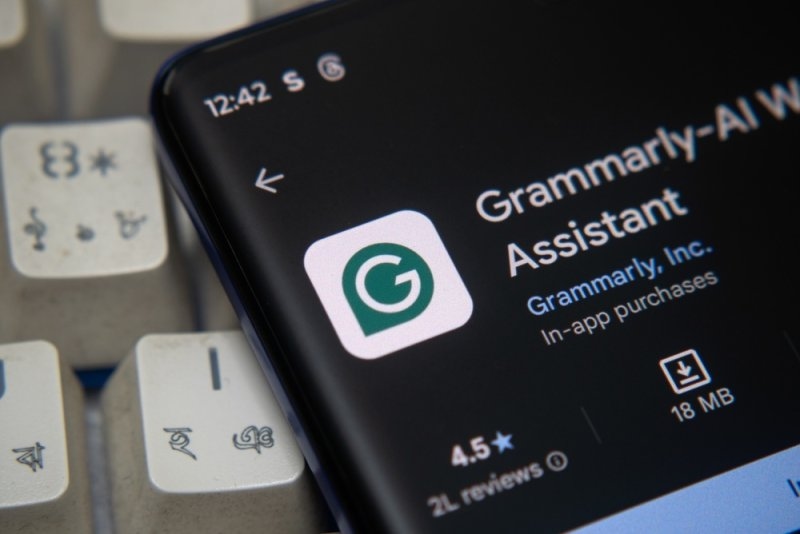
Grammarly is the one I'd leave running in the background. It checks spelling, grammar, and tone as you type in Gmail, Outlook on the web, and pretty much any browser-based editor. The generative side can summarize incoming messages and suggest replies, which comes in handy when you're buried. The catch? Monthly AI prompts are capped, even on paid plans. If you'd lean on it all day, look at those limits before you pay.
4. Gemini: Best AI Email Writer for Gmail
If you want an AI email writer for Gmail, Gemini is the natural pick. It lives inside Gmail and Google Docs, so you can draft, rewrite, and shorten messages without leaving your inbox. A short instruction produces a full email, and you can ask for a longer or tighter version after. One reviewer found its inbox search hit-and-miss, so double-check any facts it pulls from older messages.
5. Microsoft Copilot: Best AI Email Writer for Outlook
For an AI email writer for Outlook, Copilot is the obvious choice. It runs inside Outlook and other Microsoft 365 apps, so you draft and reply right where you already work. It can build a draft from a short prompt, polish your grammar and style, and tailor replies for different recipients. The downside is that the advanced inbox features need a paid Microsoft 365 plan, which can feel pricey for casual or solo users.
6. Jasper: Best for Template-Driven Marketing Emails
Jasper's email templates ask for your goal, offer, and audience, so you don't have to dream up the perfect prompt yourself. Its brand voice feature and Chrome extension keep messages consistent across Gmail, Outlook, or your campaign editor. It costs more than most rivals, so it makes the most sense for teams that need lots of different content formats.
7. Lavender: Best for Sales Outreach
Lavender scores your draft, flags spammy phrases, and suggests fixes, which helps outbound sales emails actually land in the inbox. Its Chrome plugin also researches recipients, so you can add personal details without opening five extra tabs. It's built for outbound sales only, so if you send newsletters, you won't get much out of it.
8. MailMaestro: Best for Inbox Overload
MailMaestro works in Gmail and Outlook. It summarizes long emails and offers three quick reply options for each message. Its Improve feature proofreads your draft and makes light edits, which lowers the odds of invented details slipping in. The free plan covers just three emails a week, so frequent senders will hit the wall quickly and need to upgrade.
9. MailerLite: Best for Email Campaigns
MailerLite builds AI writing right into its campaign editor, including a subject line generator that gives you five options at once. You can generate copy anywhere you add text, then send, schedule, and test campaigns without switching apps. If you already use another email platform and only want the occasional quick draft, it's probably not worth it.
10. Writesonic: Best Budget-Friendly Email Copy Generator
Writesonic writes sales and marketing emails, subject lines, and email signatures in more than twenty-five languages. Plenty of users find it cheaper than similar tools, and reviews often praise its speed. It doesn't offer live chat support, so if you like hands-on help when you're getting started, you may prefer something else.
What is the Best AI for Writing Emails?
It depends on where you work. Gmail users usually get the smoothest experience from Gemini, while Outlook users get the most from Microsoft Copilot. If you jump between several apps, Grammarly or a chat assistant like Perplex gives you far more flexibility. So when someone asks what the best AI for writing emails is, my honest answer is: test two tools for a week and keep the one that cuts your editing time the most.
Which is the Best AI Email Writer for Business?
Business teams care about shared brand voice, security, and admin controls, which is why Jasper, Copilot, and Gemini Business tend to fit well. Sales teams often add Lavender, and marketing teams lean on MailerLite for campaigns and subject line testing. The best AI email writer for business is the one your team will actually use, so involve them in the trial. And before you paste any customer details into a tool, read this guide on AI privacy risks and data protection.
Which is the Best AI Email Writer for Professionals?
Busy professionals want speed, so tools that summarize threads and suggest replies, like MailMaestro, usually come out on top. If you'd rather write your own drafts, Grammarly polishes your tone without rewriting your ideas. Freelancers and consultants often pair a chat assistant with a proofreader, which gives them flexible, polished client emails without much fuss. That combination is why many of them consider it the best AI email writer for professionals who juggle lots of clients.
Which is the Best Free AI Email Writer?
Good news: you don't have to spend a cent to get started. Perplex, ChatGPT, Gemini, Copilot, and Writesonic all have free access, though every one of them holds something back, whether that's features or usage. Grammarly and MailMaestro have free plans too, and they're plenty for light everyday email. So if you're after the best free AI email writer, just pick one, notice how much time it saves you, and only start paying once the limits get in your way.
Final Thoughts on the Best AI for Email Writing
The best AI for email writing will save you hours, but it won't replace you. It doesn't know your facts, and it can't add the personal touch that makes someone feel a real person wrote to them. So choose one tool that fits where you already work, live with it for a week, and read every draft before it goes out. Curious where all this is headed? Have a look at these conversational AI trends to watch in 2026.
Frequently Asked Questions
Which AI email writing software is easiest for beginners?
Perplex and ChatGPT. You just type what you need the way you'd say it to a coworker, and you're done. Add-ons like Grammarly or MailMaestro are easy too, since their suggestions pop up right in the compose window.
Can AI email writers match my personal writing style?
Often, yes, especially if you paste in a few of your own emails or choose a voice setting first. Even so, give the draft a quick edit. A couple of your own touches are what make it sound like you.
Is it safe to paste confidential details into AI tools?
Not always. Check the vendor's privacy policy, and keep passwords, contracts, and private customer info out of your prompts. Business plans generally have stronger data controls than free accounts, so weigh both before you commit.
How much do the best AI email writing tools cost?
A lot of them have a free tier. Paid plans for individuals usually land somewhere around twelve to thirty dollars a month, while team, sales, and enterprise plans cost noticeably more. Prices shift, so check each vendor's site before you buy.
Will AI email writing software replace human writers?
No. It drafts fast, but it doesn't know your history with a client, your relationships, or what a particular reader needs. Treat it as a quick first-draft helper, then edit for accuracy, warmth, and your own voice.
Recommended Articles

What Are AI Models? Types, Exa...
Key TakeawaysAI models are programs that learn from data, then ...
Read More
Why Perplex is the Secret Weap...
Most people still treat prompt engineering like guesswork. You t...
Read More

What can I help you with?
Unlock more with PerplexPlus
PerplexPlus gives you higher limits, smarter models, and more.