
-

Try advanced features for free
Get Smarter responses, upload files, create images, and more by logging in.
Log In Sign up & Earn $5

One-Shot Prompting: The Secret to Better AI Results
In the world of artificial intelligence, the way we talk to language models determines what we get back. A lot of people have trouble with artificial intelligence because they just use commands. This can lead to robotic responses. There is a better way to do things: one-shot prompting with artificial intelligence.
Learning how to work with artificial intelligence is not just for people who build things. It is useful for anyone who wants to make their work easier or be more creative. If you are using something like Perplexity AI to learn about things or make your own bots, what you put in is really important. In this article, we will look at how one-shot prompting with artificial intelligence works, see some examples, and explain why giving just one example can make a big difference in how you use artificial intelligence. The extensive popularity and usage of AI like Perplexity have culminated in the partnership with the US government, marking its journey ahead.
What is One-Shot Prompting?
If you have ever felt frustrated because an artificial intelligence did not quite catch your vibe, you probably need to learn what one-shot prompting is. One-shot prompting is a technique in which you give the intelligence one example of the task you want it to perform before asking it to perform a new version of that task.
Most people who use intelligence just give it a command without any context, like "Write a product description." While these models are really smart, they usually do things in a generic way. When you use one-shot prompting, you give the model something to follow. You are basically saying, "This is how I did it one time; now you do it for this topic."
Tools like Perplexity's Advanced Search let you put in these examples so that the information you get and the content that is made match what you want exactly. This helps get rid of confusion and makes the artificial intelligence do things the way you want with your tone, format, and everything. However, it is even more essential to keep public safety and security with Perplexity.
One-Shot Prompting Examples in Action
To really get good at this, we need to look at examples of one-shot prompting that show how we can get results. The difference is usually in how things are set up and what we show in the prompt. We have to look at one-shot prompting examples to see what works. One-shot prompting is what we need to focus on.
Example 1: Creative Writing
- The prompt: "I want you to write a detailed book review. And here is an example: Book Name: The Great Gatsby. Review: A haunting portrait of the American Dream, laced with gold and tragedy. 'Now, write a review for '1984' in that same style."
- The Result: The AI mimics both the brevity and poetic tone of the example instead of providing a 500-word essay.
Example 2: Data Extraction
- The prompt: "Derive the names and dates. For example: 'John Doe visited on Jan 5th.' Name: John Doe, Date: Jan 5. Now do this for "Sarah Miller arrived on October 12th."
- The Result: The AI follows the exact syntax, making it easy to copy and paste into a spreadsheet.
By using one-shot prompting AI strategies, you turn a chatbot into a precise logic engine. For professionals using Perplexity, this means you can extract insights from research papers by providing one example of the summary style you like. It saves hours of editing.
Why Does One-Shot Prompting Beat Manual Commands?
The reason one-shot prompting works better than commands is simple. Humans struggle to describe style in terms, but we can easily show it. When you give a command, like "Make it sound professional," the AI has to figure out what "professional" means to you. Is it academic, corporate, or concise?
When you use a one-shot approach, you eliminate the guesswork. You provide the example. This way, the AI knows what you are looking for.
Here are some benefits:
- Consistency: If you generate 100 descriptions, they all look and feel the same. This is because you are using a one-shot prompt that sets the tone.
- Efficiency: You spend time trying to get it right and more time using the output. This saves you a lot of time.
- Nuance: A one-shot prompt captures your brand's voice. Manual instructions often miss this. With a one-shot prompt, you can ensure that your brand's voice comes across clearly.
Maximizing Your Workflow with One-Shot Prompting AI
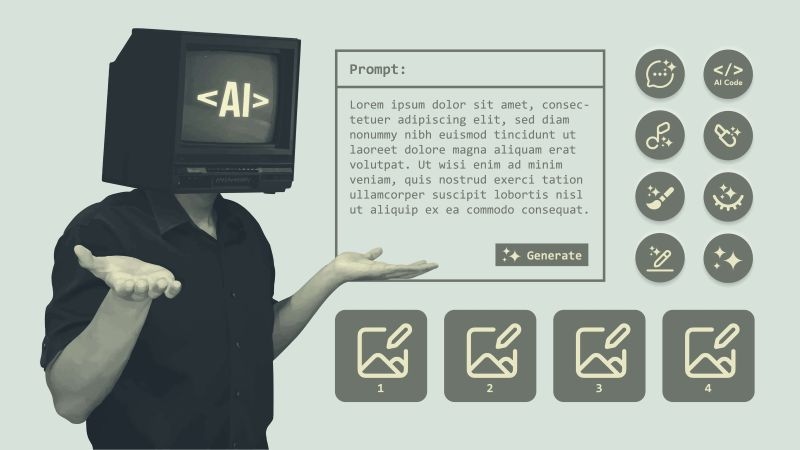
AI and other AI assistants have made life a lot easier and more efficient with one-tap solutions. To get the most out of one-shot prompting AI, you should follow a structure. A good one-shot prompting AI prompt usually has three parts: the task, the example, and the new input. If you are a coder, a marketer, or a student, you will get results from one-shot prompting AI when you use examples. Using examples with one-shot prompting AI is the way to improve your skills with one-shot prompting AI and your digital literacy.
Best Practices for Your Prompts:
- Use Clear Delimiters: Use symbols like ### or --- to separate your example from the actual task. This helps the AI distinguish between the "template" and the "request."
- Pick a Representative Example: Don't just pick any example; pick the one that perfectly represents the quality you want.
- Leverage Modern Tools: Use Perplex.com to find high-quality reference material that you can then use as your "one-shot" example.
Conclusion
When we use one-shot prompting, it is like a bridge between what people can create and how fast machines can work. If you give the machine one example, it can change from being okay at lots of things to being really good at one thing. So you should try using one-shot prompting for the things you do every day. You will see that one-shot prompting is really helpful because it shows the machine what to do, which is better than just telling the machine what to do with one-shot prompting.
FAQs
What Is The Difference Between One-Shot and Few-Shot Prompting?
While one-shot prompting uses one example to guide the AI, few-shot prompting uses many examples, usually between 2 and 5. Few-shot prompting works well for really hard tasks or when the AI needs to get many different outputs right. For most tasks, like writing emails or formatting data, one-shot prompting is enough and uses less power, saving you time.
Can One-Shot Prompting Help Reduce AI Hallucinations?
Yes, a lot. Hallucinations happen a lot when an AI tries to figure out what you want. When you give it one example, it works within that example. The AI tries to copy the examples' structure and logic. This helps the AI stay on track. Reduces the chance of it making up information or going off topic. The AI sticks to what you showed it.
Does One-Shot Prompting Work Better On Certain AI Models?
Generally, bigger models respond better to one-shot prompting. Smaller models need an example to understand a pattern. Advanced LLMs are great at picking up patterns from context. They can learn from one example, which makes them very useful. Users need to structure their input to get the most out of these models and LLMs. The models and LLMs are really good at understanding language.
Recommended Articles

AI Forecasting in 2026: How Sm...
Using outdated manual spreadsheets to plan the financial future of your compa...
Read More
Why Is Hybrid Search Growing S...
Over the past 10 years, search has drastically improved. Customers no lon...
Read More

What can I help you with?
Unlock more with PerplexPlus
PerplexPlus gives you higher limits, smarter models, and more.